Not too long ago it was unthinkable to expect computing power away from the desk, and then a time when it was unthinkable to have it where you need it most: out in the field and on the job. As a result, field force workers had to make do with pen and paper that often resulted in errors, delays, and an inability to access and forward data when it was needed most.
About two decades ago, some companies began using pen computers for such field work, and some of those applications were quite successful. But full-fledged pen computers cost a lot, and thus computer penetration in field force applications remained low. That is now changing with the emergence of tablet computers and relatively low cost handhelds that benefit from the great advances in consumer market smartphone technology.
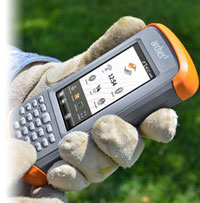 Most of the devices you see in this section use the same electronic components you find in a conventional Pocket PC or PDA, but they are packaged in tough, rugged shells and designed for the job at hand. They come in several form factors. Some look just like slightly larger PDAs. Others carry on the convenient "flashlight" style of earlier generations of data terminals. Some have pistol grips for easy handling. Others are small-size tablets. Many have integrated bar code scanners or lasers. And they may use anything from minimal technology to state-of-the-art CPUs and displays.
There are also those that were designed from the ground up for use as rugged
devices, with all of their components carefully selected to hold up in much
more demanding environments in terms of sealing, vibration, shock,
resistance to heat and cold, and other criteria.
The right display
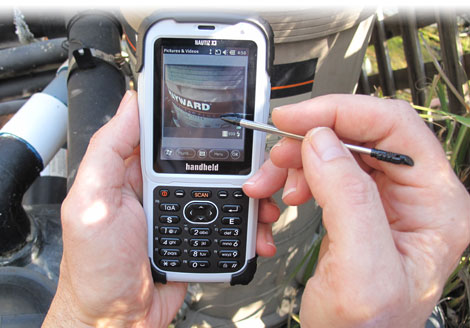
Most rugged handheld devices will be used outdoors, and so an outdoor-viewable display is especially important. Unlike commercial notebooks where outdoor readbility was/is not considered important, PDAs and Pocket PCs have had sunlight viewable displays for many years, and so finding a device with a good display is generally less of an issue. However, technology moves on, and we're less and less inclined to accept low contrast displays or excessive reflection and glare.
Resolution can also be an issue. For years, Palm and Pocket PC devices used fairly low resolution displays (mostly 240 x 320 pixels), but as handhelds are being used for more sophisticated applications like mapping or browsing, many devices now have full 480 x 640 VGA displays. And if industrial handhelds follow smartphones, which some undoubtedly will, we'll soon see resolutions once thought unthinkable for handhelds.
Designed to take a beating
Handhelds are not immune to the laws of physics, but their generally smaller size and weight, and the absence of hard drives, makes them more able to take extreme punishment.
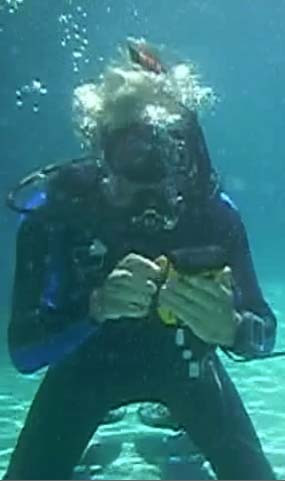
We have tested devices that can survive drops from six feet and more, and they not only continued to work, they didn't even get scratched or dented. Some are so well sealed that they can be used in driving rain or even submerged in water. We have actually tested some underwater, in full Scuba gear. The image to the right is real. It was taken when we tested a TDS/Trimble Nomad handheld computer underwater. It continued to work.
As with all computers scheduled to be used in tough jobs out in the field, picking the right one is the difference between success and failure of your project. So do your homework carefully. Handheld computers are designed with deployment in certain types of environments in mind, so matching equipment to application is essential.
This page contains access to full reviews or capsule reviews/specs for hundreds of rugged terminals, rugged PDAs, rugged Pocket PCs, and other rugged mobile handheld computing devices.
Operating systems
Most vertical market handheld computers run one of Microsoft's compact operating systems, either Windows CE or Windows Mobile (essentially a friendlier user interface on top of Windows CE).

This is interesting as in the 1990s the market was initially slow to switch from DOS or proprietary operating systems to Windows CE (some early industrial handhelds ran the Palm OS), but now that the traditional PDA/Pocket PC has largely been replaced by smartphones running Apple's iOS or Google's Android operating system, virtually all vertical market handhelds still run Windows CE.
This presents some uncertainty as the projected capacitive touch screens used in smartphones have fundamentally changed user interface expectations, and also because Microsoft itself split Windows CE into the mutually incompatible consumer-only Windows Phone side and the vertical/embedded market Windows Embedded Compact side.
Where are handhelds headed?
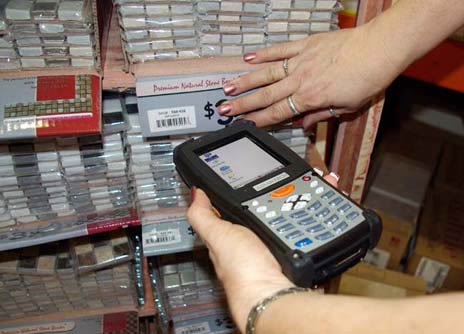
While consumer electronics change very quickly, industrial handheld computers have a much longer life cycle. Many models are being used in almost unchanged form year after year, with the importance being in ruggedness and convenience rather than whistles and bells. However, time doesn't stand still and there are a number of technologies that are finding their ways into handhelds and will change how handhelds are being used. Some of these technologies are GPS, wide area wireless radios, RFID, high quality imagers and scanners, and integrated high resolution cameras.
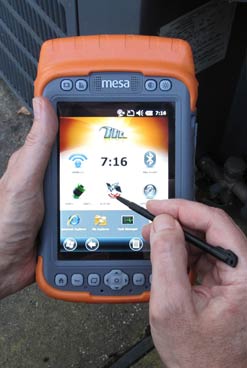 None of these technologies are new, but they are just now becoming powerful, small and reliable enough so they can be integrated into handhelds rather than being peripherals to them. Such integration, however, increases cost and complexity, so one should carefully consider what is needed and what is merely desirable.
Another interesting new development in rugged handled computers is the inclusion of increasingly sophisticated sensor technology.
Motion sensors, pioneered in smartphones such as the Apple iPhone, can be used to automatically change display orientation, engage power conservation, or interact with applications.
Light sensors can adjust screen brightness and thus safe battery power. Gyros can provide valuable 3D information. Barometric pressure sensors may provide climate data.
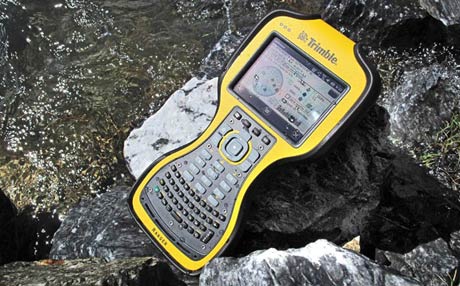
During 2010 and 2011, we saw a number of attempts at providing smartphone functionality in a rugged handheld computer package that could also be used for data capture, with the idea of eliminating the need of field workers to carry separate devices. We also saw the first industrial handhelds inherently capable of running Android, though the default OS usually remained Microsoft-based.
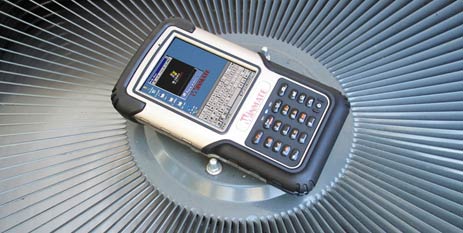
By early 2012, the difference between consumer and industrial handhelds had never been greater. While the vast majority of consumer handhelds were either iPhones or Android-based smartphones from Motorola, HTC, Samsung or LG and had large (3.5 to 5.0 inch) displays projected capactive touch screens, industrial handhelds continued to hold on to an earlier era. The majority of ruggedized handhelds remained based on Windows CE or Windows Mobile and had resistive digitizers.
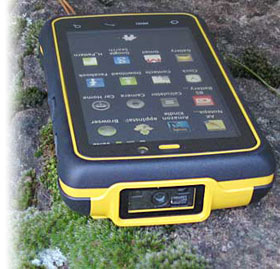 There were, however, isolated attempts at offering Android-based industrial handhelds, often in conjunction with making the same hardware available with Microsoft software. Microsoft's own successor to Windows Mobile, Windows Phone, did not gain any traction or even presence in industrial handhelds, a situation undoubtedly cemented by Microsoft making it impossible to upgrade from Windows Mobile to Phone 7, and making Phone 8 incompatible even with its own Phone 7 and 7.5.
In 2013, it became increasingly clear that Android was considered a viable alternative for rugged and industrial handhelds. A number of manufacturers began offering Android versions of selected handhelds, often with the same or similar hardware as their Windows Mobile based products. Both Intermec and Motorola Solutions followed with Android platforms. On the software side, cross-platform solutions such as RhoMobile and iFactr sought to make the transition easier by enabling apps that ran on various OS platforms.
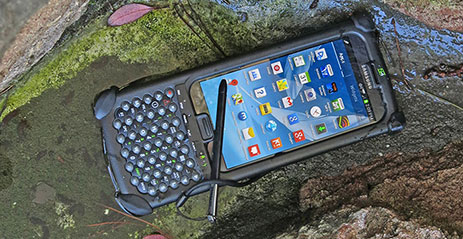
2014 saw still more new legacy handhelds with versions of Windows CE or Windows Embedded Handheld, but there were at least a matching number of new Android-based handhelds. A debate began, both with tablets and handhelds, whether it might not make sense to embed leading-edge consumer handhelds into hardened and/or value-added cases.
In 2015, most vendors of vertical and industrial market rugged handheld devices sold both Android and Windows devices. Of the latter, the majority still used Windows Embedded Handheld 6.5, due primarily to the lack of a feasible alternative from Microsoft. This will almost undoubtedly change as the new Windows 10 IoT versions gain traction.
Interesting trends were a) much wider acceptance of capacitive multi-touch instead of the resistive touch that had ruled handhelds for almost two decades, and b) rapidly increasing display sizes to meet the demands of customers used to giant smartphone screens.
In 2016, Microsoft made a renewed effort to finally offer a replacement of the old Windows Embedded Handheld 6.5 with Windows 10 IoT Mobile Enterprise (how's that for a name!). Its prime attraction is that it uses the same "universal core" as the full Windows 10 OS, which would allow developers to write code just once and then easily adapt it to various Windows platforms.
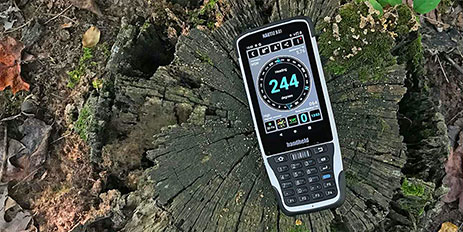
By mid-2017, the Windows 10 IoT Mobile Enterprise effort hadn't picked up much steam, with most handheld vendors either choosing full tablet Windows or Android. As a result, in mid-2018 Microsoft threw in the towel with Windows 10 Mobile and its vertical market version. This meant that the Windows Mobile era in handheld computing devices was over and Android essentially inherited that market.
Ever since, it's been pretty much all Android in the handheld mobile computer market. With Microsoft gone, there was no more need to offer handhelds either with Windows Mobile or with Android, an approach that always was a compromise. New devices were designed and engineered from the ground up for Android, making for better better products.
But not everthing was new Android-based rugged handhelds. That's because a good number of enterprise customers are opting for iPhones or consumer Android devices in a case.
By mid-2021, almost all new rugged handhelds were Android-based. There were a few exceptions — such as the DT362 by DT Research that ran full Windows 10 on a 6-inch handheld — but the fast majority of devices was on Android. However, the wholesale migration of rugged legacy Windows CE/Windows Mobile handhelds to Android also saw older handheld devices replaced by other form factors, such as mid-size Android or Windows-based rugged tablets. A growing concern was Google's increasing use of the Android platform for its own marketing purposes.
The rugged handheld market weathered the COVID pandemic fairly well, and 2023 was off to a good start. The year continued on an upswing, with lots of pent-up demand from the Covid years. MilDef's acquisition of the Handheld Group spelled the end of Handheld as a longtime RuggedPCReview technology sponsor, and there wasn't been much news from Handheld under the new management. The end came when MilDef simply shut Handheld down. Part of the Handheld inventory, technology and expertise lives on in a company named Nordalp, though Nordalp, too, keeps a very low profile.
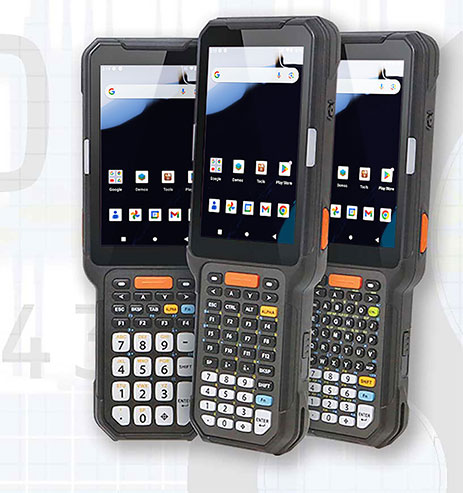
Of all the many mergers and acquisitions we've seen over the years and decades, it's fair to say that Zebra handled its purchase of the former Motorola Solutions better than most. The general sense is that Zebra will become ever more dominant in the heldheld device market. Honeywell, on the other hand, failed to take advantage of all the rugged mobile companies and technologies it acquired over the years; in 2026 they sold pretty much all of it to Brady Corporation.
--Conrad H. Blickenstorfer